
A note
Thanks for everything.
Thank you to everyone who used Picnic, and to everyone who wrote in with a bug, an idea or a kind word. Running agents on your own machines was a better idea because of you.
Picnic has become NBS Factory, a tool we now keep for our own studio. That means Picnic is no longer available to download or sign up for. This site stays up as a record of what it was.
If you want a simple way to run Claude Code, try Pagebee Builder. It's free, and anyone can use it.
Jeremy Blaze
Never Before Seen
Build your agent factory
Picnic turns the Macs and Linux machines you already own into a factory of Claude Code and Codex agents, working on your code repos and local folders from one board you can steer from your iPhone. Hand off a job and get back a plan, a demo or a merged PR.
Made for one developer, with no hosted machines and no new subscriptions. Your work account, your own plan and your clients' accounts all work side by side on the same board.
Claude Code
Anthropic
Codex
OpenAI
GitHub
pull requests and CI
Mac, Linux, iPhone
macOS 26, Linux, iOS 26
How it works
Your factory: your machines, your projects, one board
1. Set up your factory
Your laptop, the Mac mini under the desk, the Linux box in the office. Each one signs in and becomes part of your factory.
2. Hand off a job
Pick a code repo or a local folder, a machine, a mode and an agent. It works on its own, unattended.
3. Get proof back
Nothing comes back without something you can open: a plan, a demo or a merged PR.
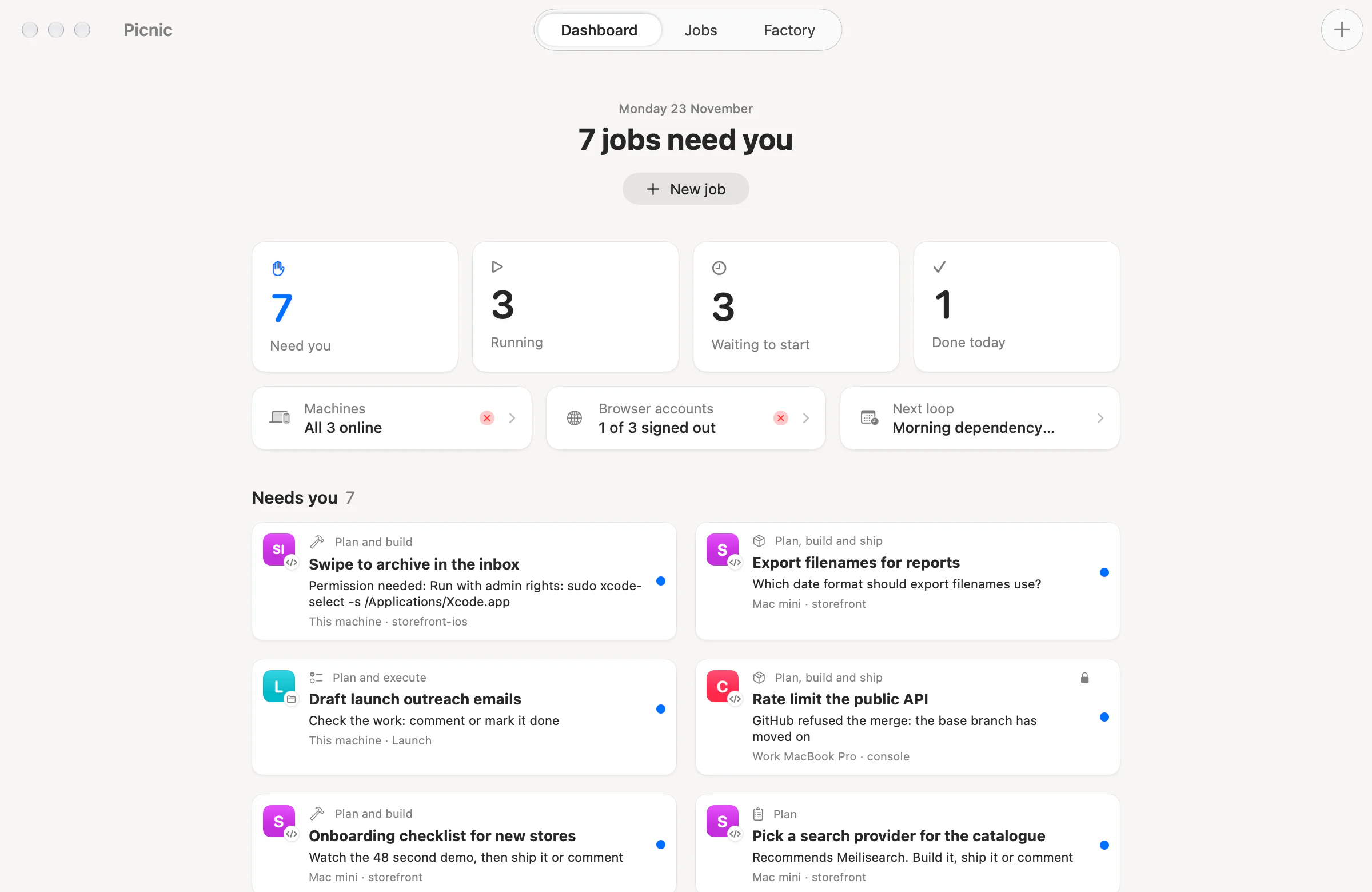
Open it and see what needs you
Needs you
A question to answer, a permission to give, a demo to watch or a plan to read. Each card says which.
The whole factory at a glance
Machines online, browser accounts signed in and the next loop, with a mark when something wants a look.
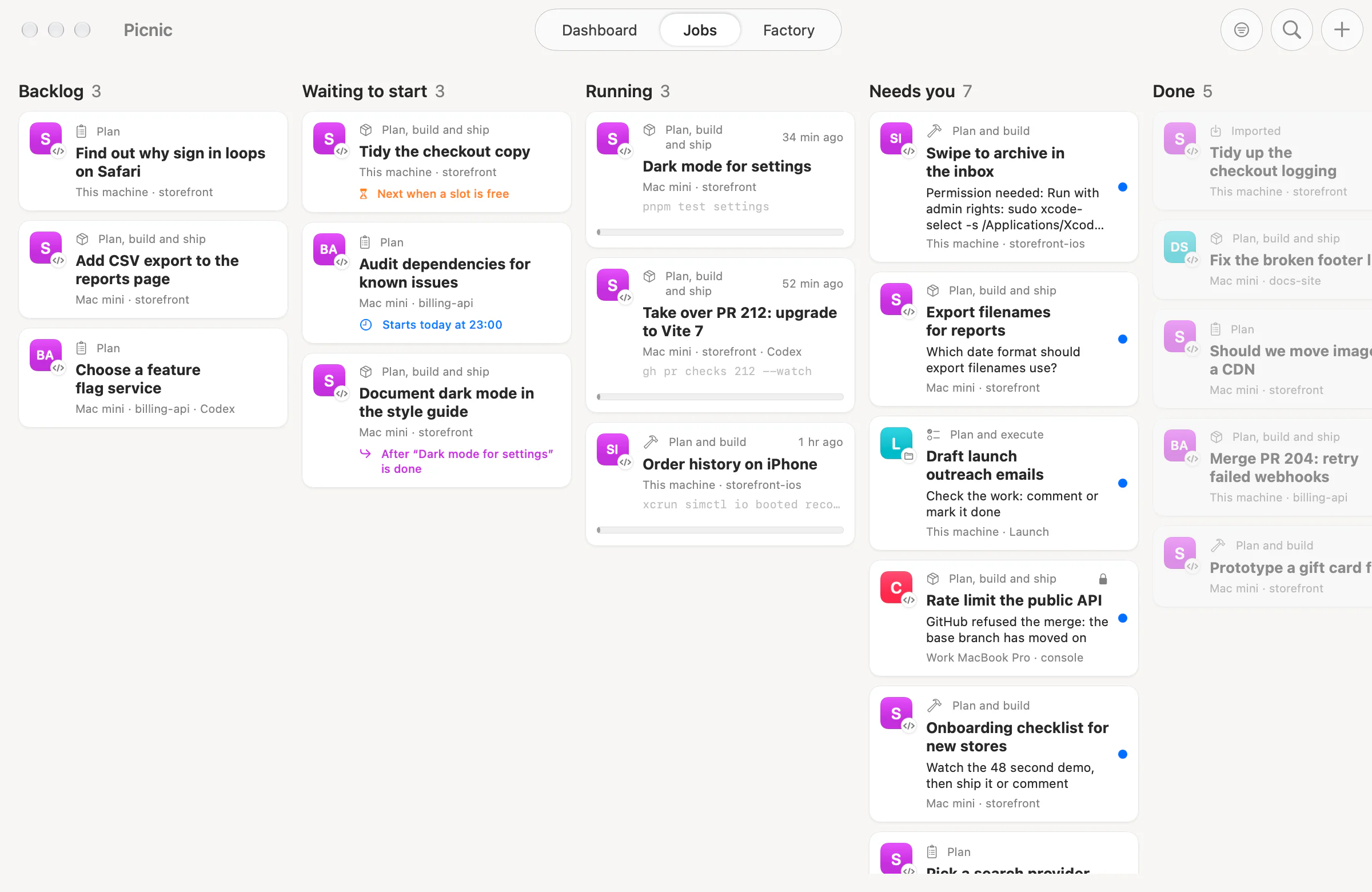
Every job on one board
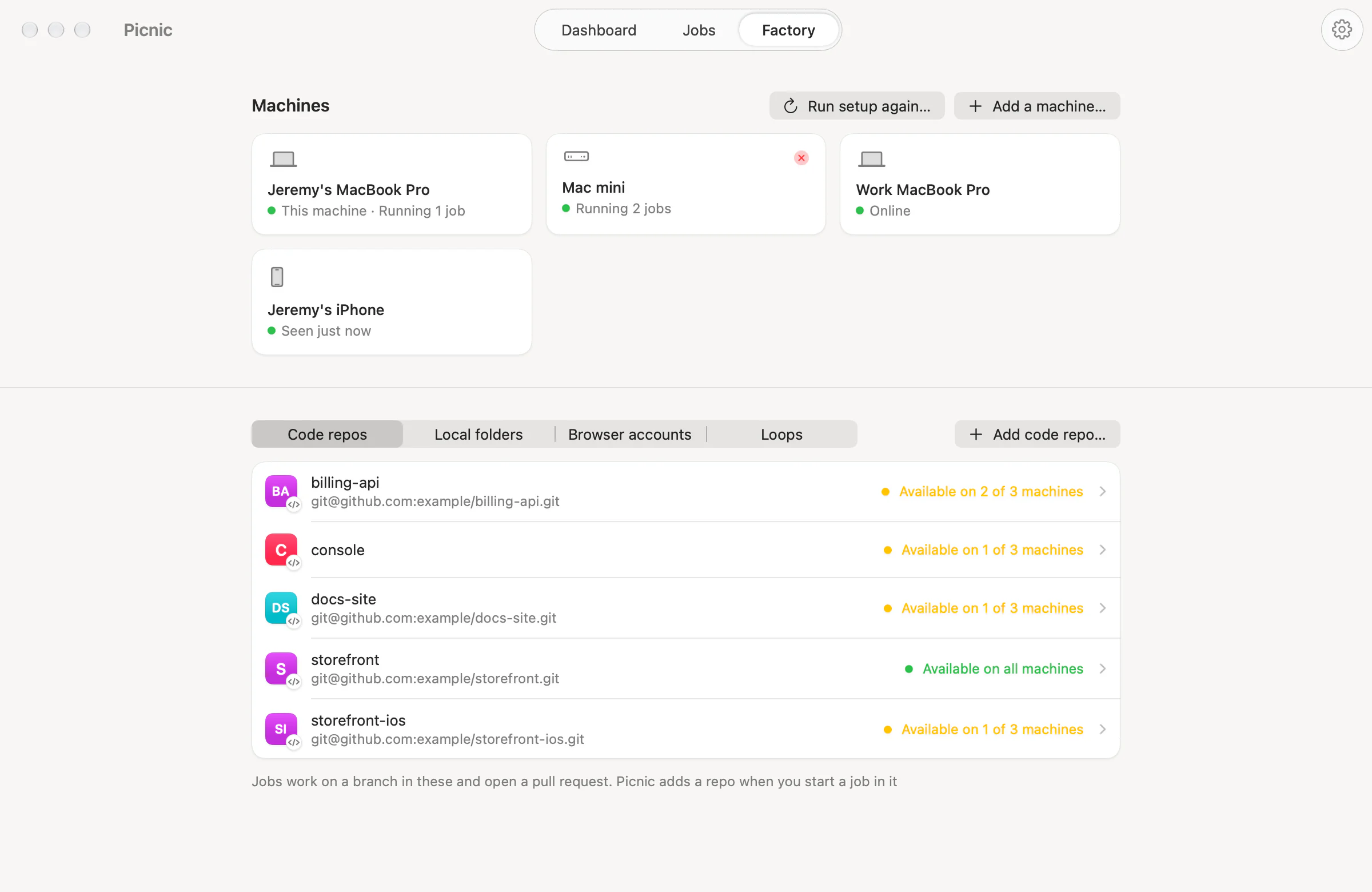
Your factory in one tab
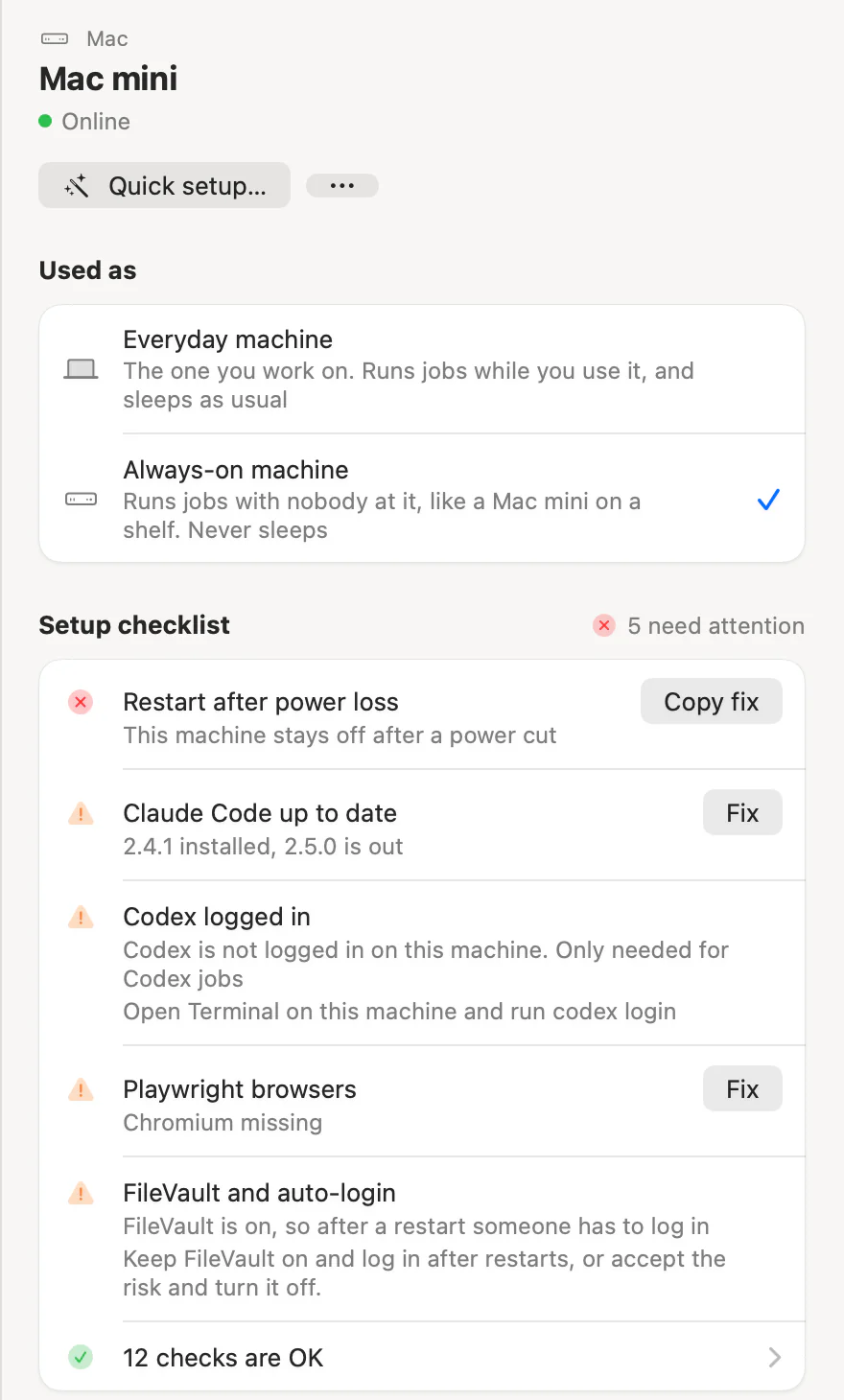
Setup checks that hand you the fix
Each machine checks itself: sleep, restart after a power cut, Claude Code and Codex signed in and up to date, the GitHub CLI, disk space. When something needs you, it says what and gives you the command, or fixes it.
Code repos and local folders
Jobs in a code repo work on a branch and open a pull request. A local folder is any folder that isn't a git repo, for research, writing, sales or launch work, and jobs work right in it.
Every account, one board
Work MacBook Pro
Claude Code
Acme Inc, company
Mac mini
Claude Code and Codex
Claude Max, personalChatGPT PlusNorthwind, a client
Linux workstation
Codex
ChatGPT Plus, side project
Work and side projects
Keep company work on the company's account and your own projects on yours, without switching logins.
Several clients at once
Freelancing for a few clients? Give each client's work its own machine and account, and keep every job in view.
Claude Code and Codex together
Mix a Claude plan on one machine with ChatGPT on another, or both on the same machine, and pick per job.
Several accounts on one machine
Add as many Claude and Codex logins to a machine as you need, and pick one for each job. Picnic never switches accounts for you.
Say how far a job should go
Plan
Answers the question or writes a plan, and changes nothing. Picnic checks.
Plan and build
Builds it on a branch with a draft PR, and shows you a demo before anything merges.
Plan, build and ship
Builds it, gets CI green and merges. Give it a stalled PR and it takes that over the line.
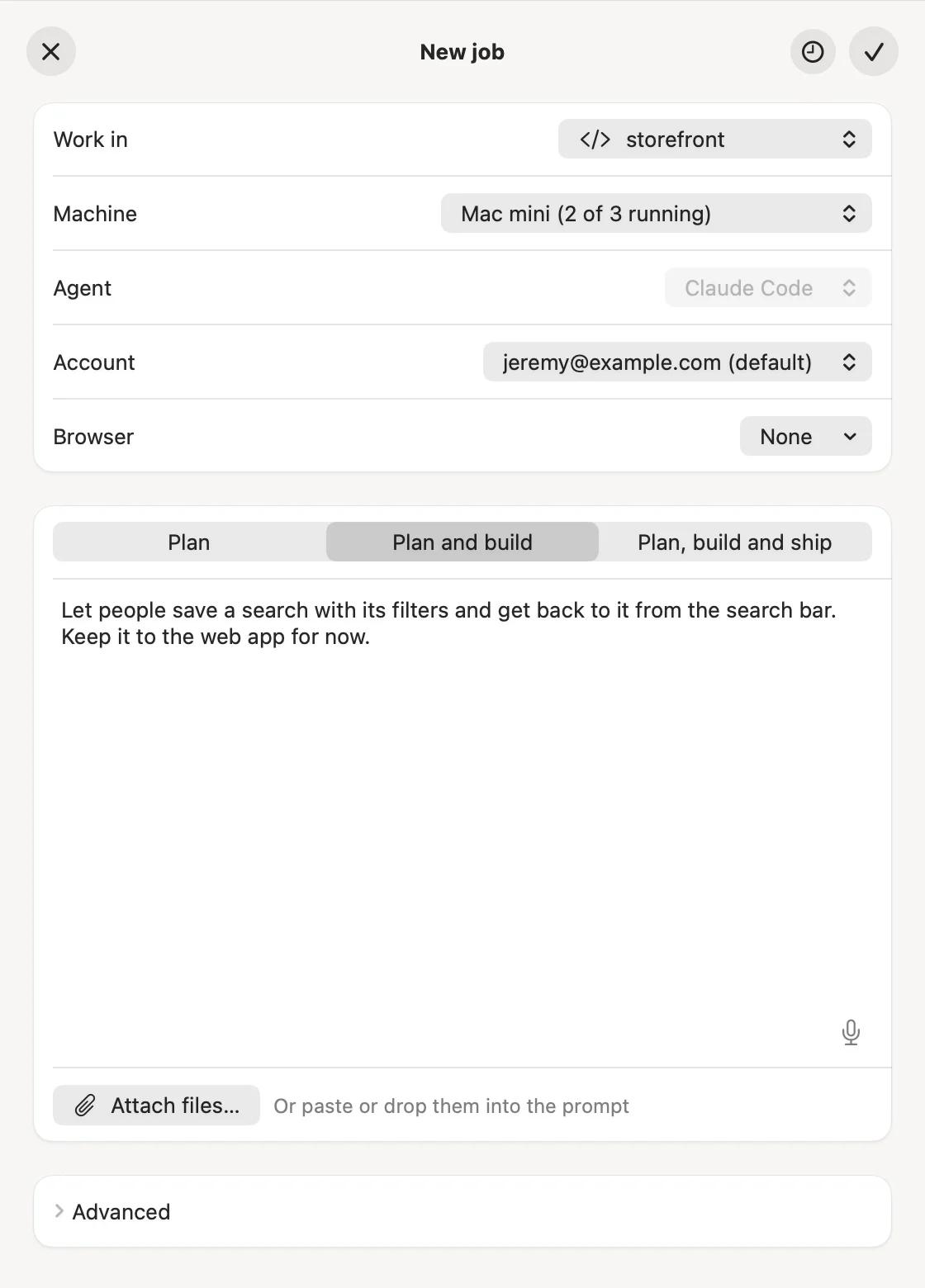
New job
Where it works, which machine, agent, account and browser, the mode, and the prompt.
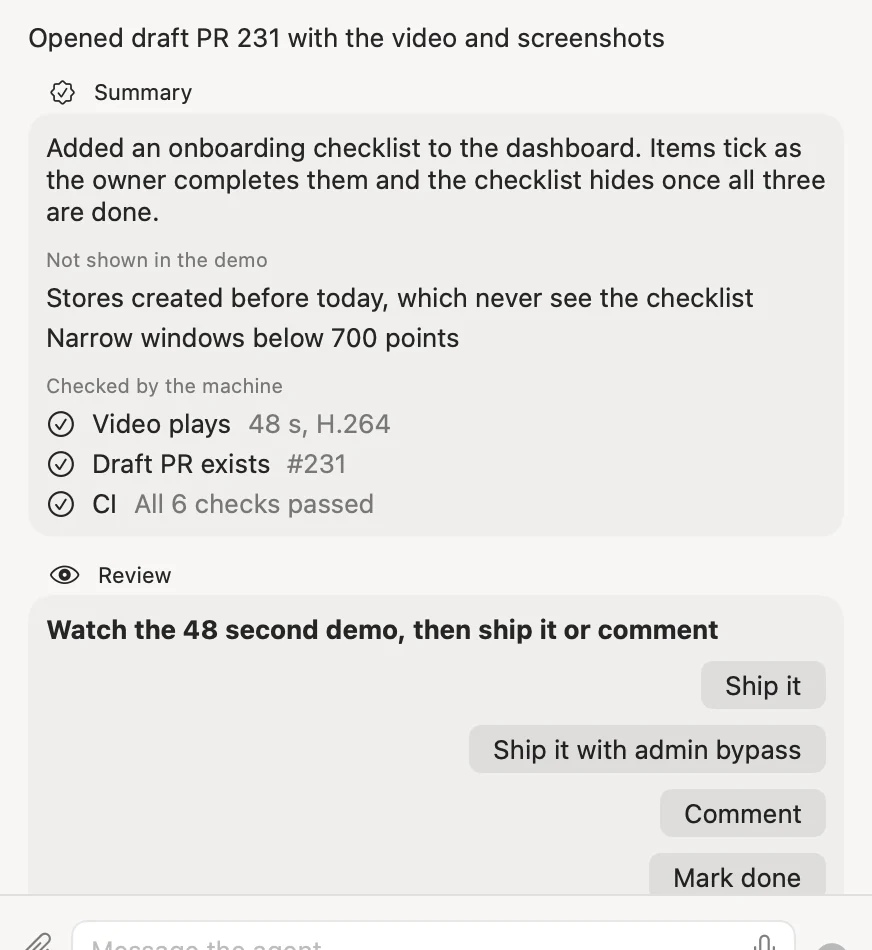
Proof, then your call
What it did, what the demo doesn't show, what the machine checked, and the buttons to ship it.
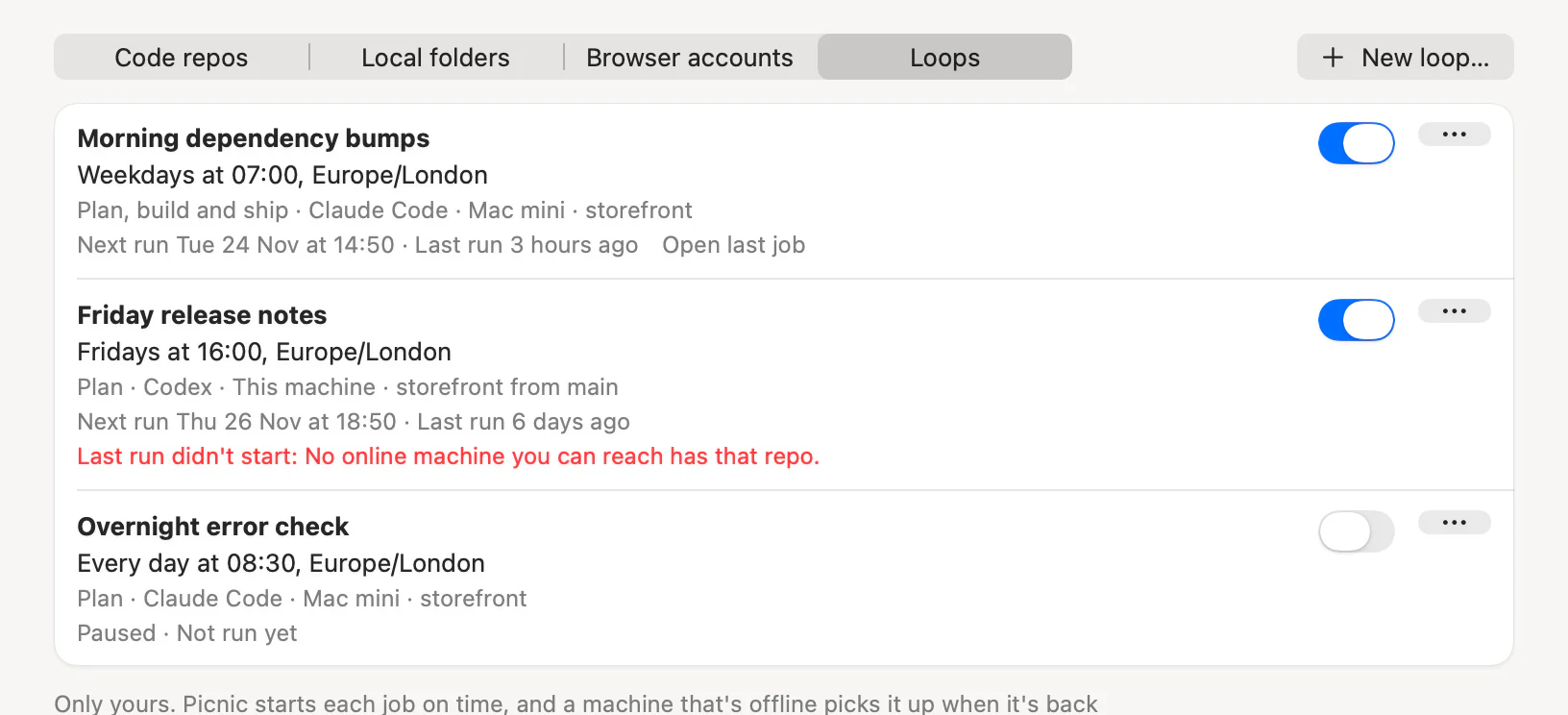
Work that turns up by itself
Jobs that use your accounts on the web
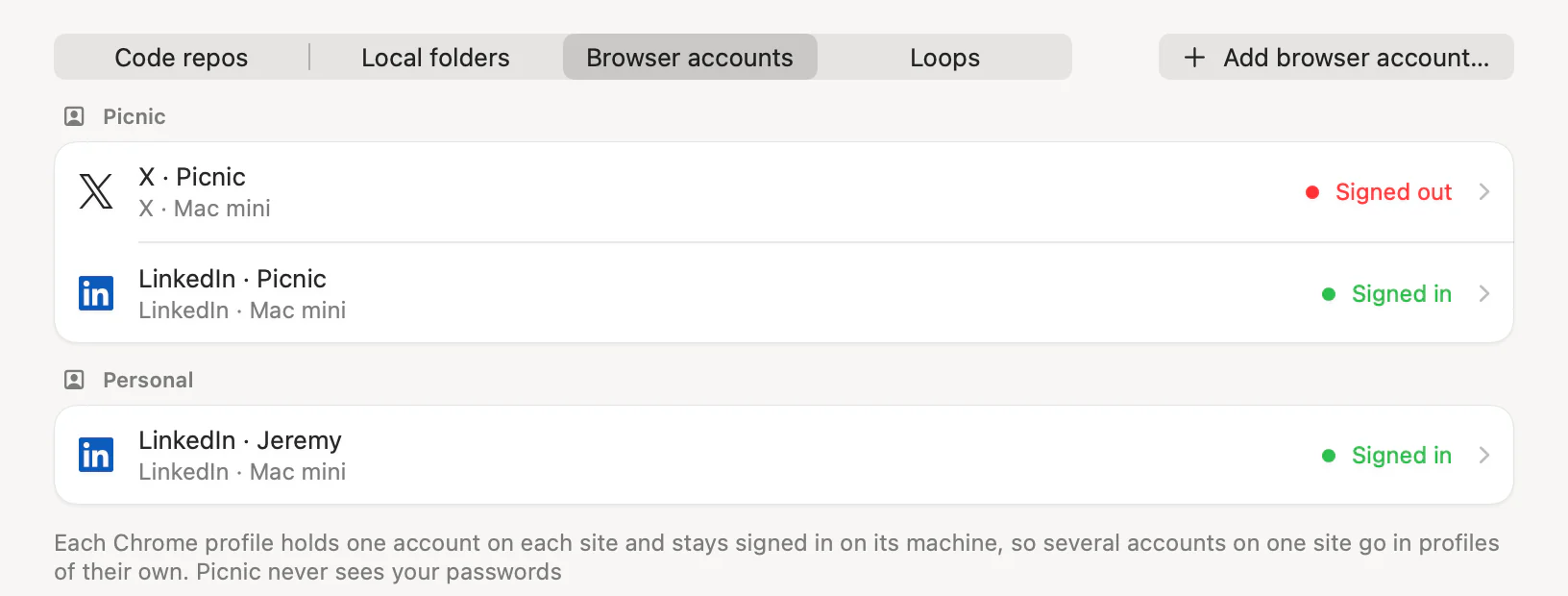
Your passwords stay yours
You sign in yourself, in Chrome on the machine. Picnic never sees, stores or types a password.
Several accounts on one site
Each Chrome profile holds one account per site, so your own LinkedIn and your company's both stay signed in.
Checked every day
Picnic checks each account once a day and tells you on the Dashboard when one has been signed out.
On a schedule
“Every weekday at 9, comment on three posts from my list” is a loop in a local folder with the account picked.
Claude Code or Codex, per job
# Claude Code: a Claude subscription or an Anthropic API account
$ curl -fsSL https://claude.ai/install.sh | bash
$ claude auth login

# Codex: sign in with ChatGPT or an API key
$ npm i -g @openai/codex
$ codex login
Steer it from anywhere
On any Mac or Linux computer
The board and every job's chat, on every computer you sign in on.
On your iPhone
Answer questions, ship demos and run loops away from your desk, with a widget for what needs you. It runs nothing itself.
From your own code
A public API and an MCP server. Integrations
$ curl https://api.onpicnic.com/api/v1/jobs \
  -H "Authorization: Bearer $PICNIC_API_KEY" \
  --json '{
    "protocol": "build",
    "engine": "codex",
    "prompt": "Add dark mode to settings",
    "deviceId": "any",
    "repo": "storefront"
}'Your code stays on your machines
Runs on your hardware
Code, builds and secrets stay on machines you control. No hosted VMs.
Your own logins
Picnic runs the official claude and codex CLIs under each machine's own login, and never touches their credentials.
Nothing listens
The agent on each machine listens on loopback only and dials out to the relay. No open ports.
Private by default
Your machines and jobs are yours alone, and metadata-only mode keeps task content on the machine.
Free to start, one price to grow
No longer available
Pro
$20per month
Unlimited machines, for when your factory outgrows three. Everything else is the same.
Models
Yourson your own plan
Usage runs on your own Claude or ChatGPT subscription or API account, not on us. Settings counts the jobs, merged PRs and tokens.
FAQ
Questions and answers
What is an agent factory?
A system for building products at scale. The machines you sign in make up your factory, your code repos and local folders are what it works on, and agents take jobs off one board while you do something else. Hosted products rent you their machines. Picnic builds your factory from the Macs and Linux machines you already own. Today it does mostly coding, and local folders already take work that isn't code, like research and writing.
Which agents does it run?
Claude Code and OpenAI Codex, chosen per job or per loop. Each runs under that machine's own login, on your own Claude or ChatGPT subscription or API account. Read about engines
Can I use more than one Claude or Codex account?
Yes, as many as you like. Each machine runs claude and codex under its own logins, so your work Mac can use your company's Claude account and a Mac mini a client's. One machine can also hold several accounts, say your Claude Max plan and a client's, and each job picks which one runs it. Jobs from all of them land on one board. Several accounts
How much does it cost?
Free on up to 3 machines, with loops, the API and MCP included. For more machines, Pro is $20 per month with no machine limit. Model usage is on your own plans, not on us. See pricing
What do I need?
A Mac on macOS 26 or later or a 64-bit Linux computer, with Claude Code or Codex installed and signed in, the GitHub CLI for pull requests, and a free Picnic account. The iPhone app is optional. Getting started
What does the relay see?
The relay connects your machines across networks. Prompts, chat and code pass through it and are never stored, except a job held for an offline machine and the prompts of your loops. Metadata-only machines keep task content to themselves. Security
Is Picnic made by Anthropic or OpenAI?
No. Picnic is an independent app that runs their official command line tools on your machines. It isn't affiliated with or endorsed by either.
Is it for teams?
Picnic is made for one developer. Your machines and jobs are yours alone. If you want to build something for a team on top of it, the API and MCP server are there. Integrations
Get started
Put your machines to work
Install Picnic on each machine, sign in, and hand off your first job. Free for up to 3 machines.